Poora restaurant — ek Android phone aur ek thermal printer.
Take orders at the table, print KOTs in the kitchen, give GST bills and close the day's cash — from one phone. No laptop, no tablet, no PC. Free for 3 months, then ₹299/month.
₹299 + GST after the trial · Bluetooth ya Wi-Fi thermal printer · works offline · cancel anytime
The phone IS the register. Poora ka poora.
- Order at the table, print in the kitchen. Menu with veg/non-veg marks, Half/Full portions, notes like "less spicy" — fire, and the KOT prints. Round two prints only the new items.
- Bluetooth ya Wi-Fi thermal printer. Pair once in phone settings or type the printer's IP, test print, done — 58 mm or 80 mm. A failed print waits in the queue and retries; the sale is never lost.
- GST bills from the phone. Tax invoice per CGST Rule 46 — invoice series, CGST/SGST split, round-off. Set the phone up as a Register device (step 2) and the series is minted for it — the same continuous series the desktop register uses.
- Cash box on the phone. Opening float, paid-outs with a reason, count at close — expected cash and variance calculated for you, UPI shown separately.
- Works offline. Billing and printing run on the phone's own database — the net can come and go, the counter doesn't stop.
Android phones print to Bluetooth and Wi-Fi printers. iPhones print to Wi-Fi printers while the app is open — for Bluetooth printers, an Android phone or the desktop register does the printing.
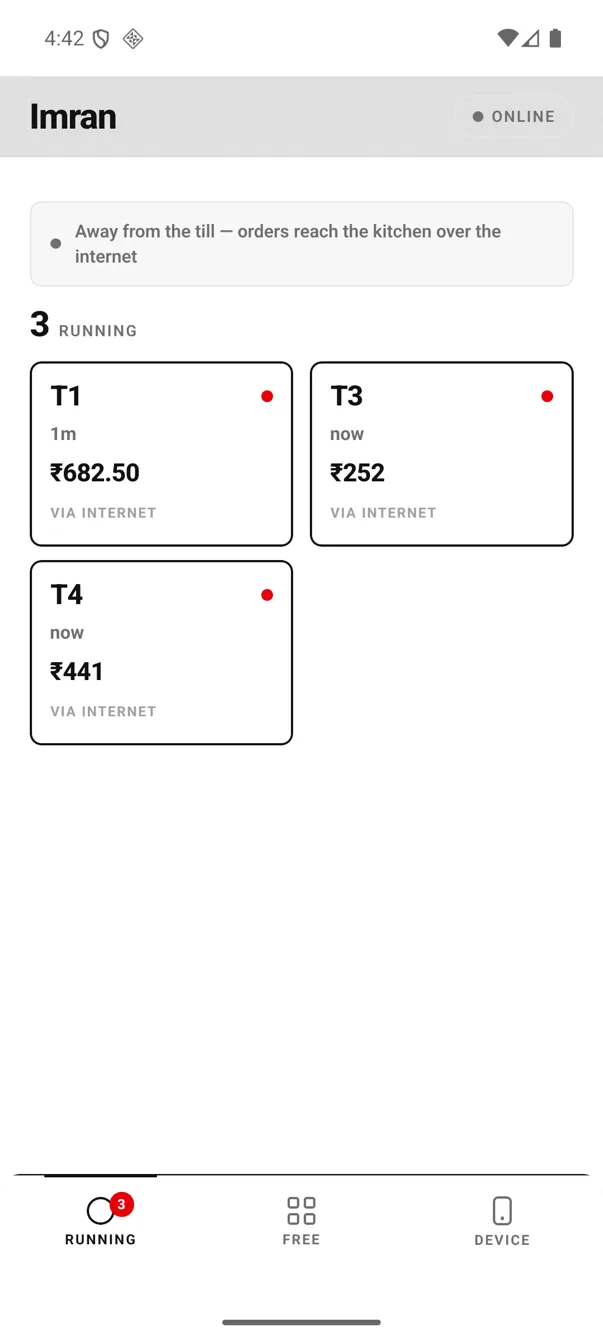
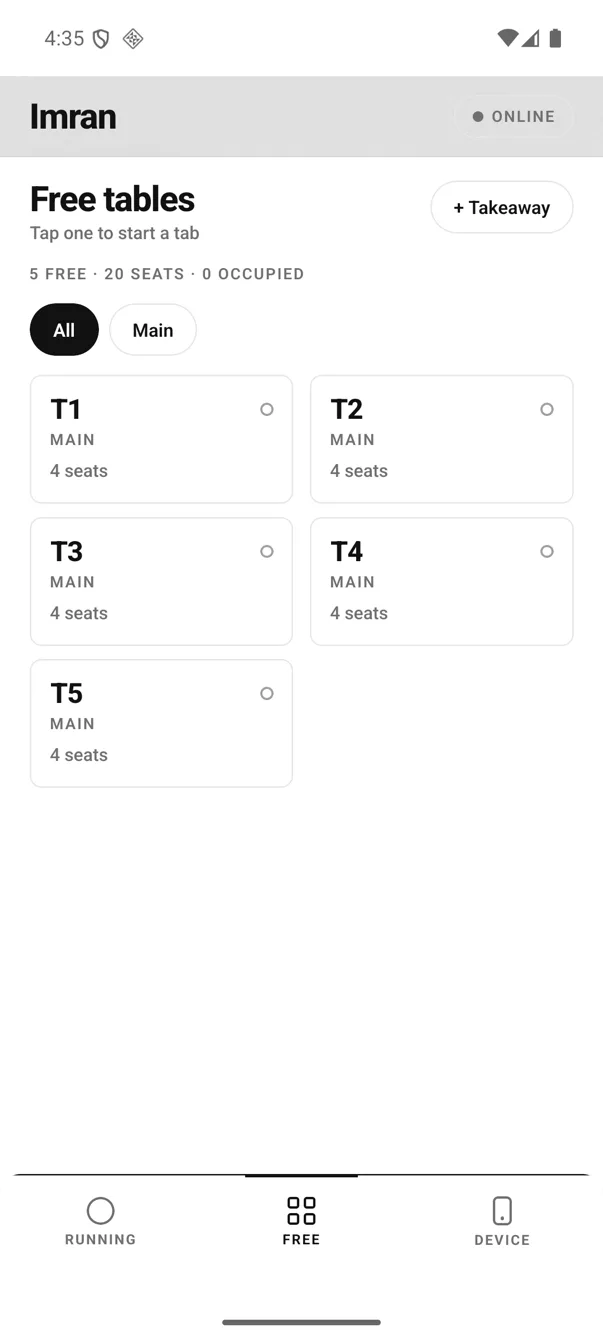
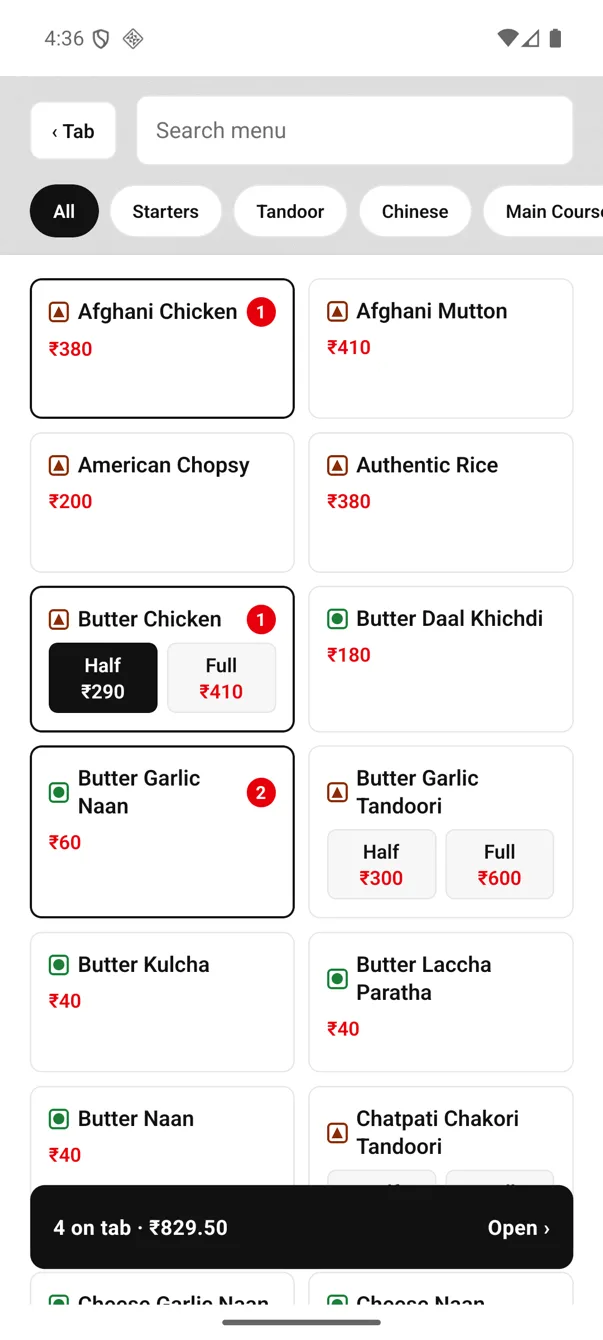
One table, start to finish — on the phone.
Every screen below is a real capture from the Android app, not a drawing: a table opened, three dishes punched, the KOT fired, the bill settled in cash. Nothing here is a mockup.
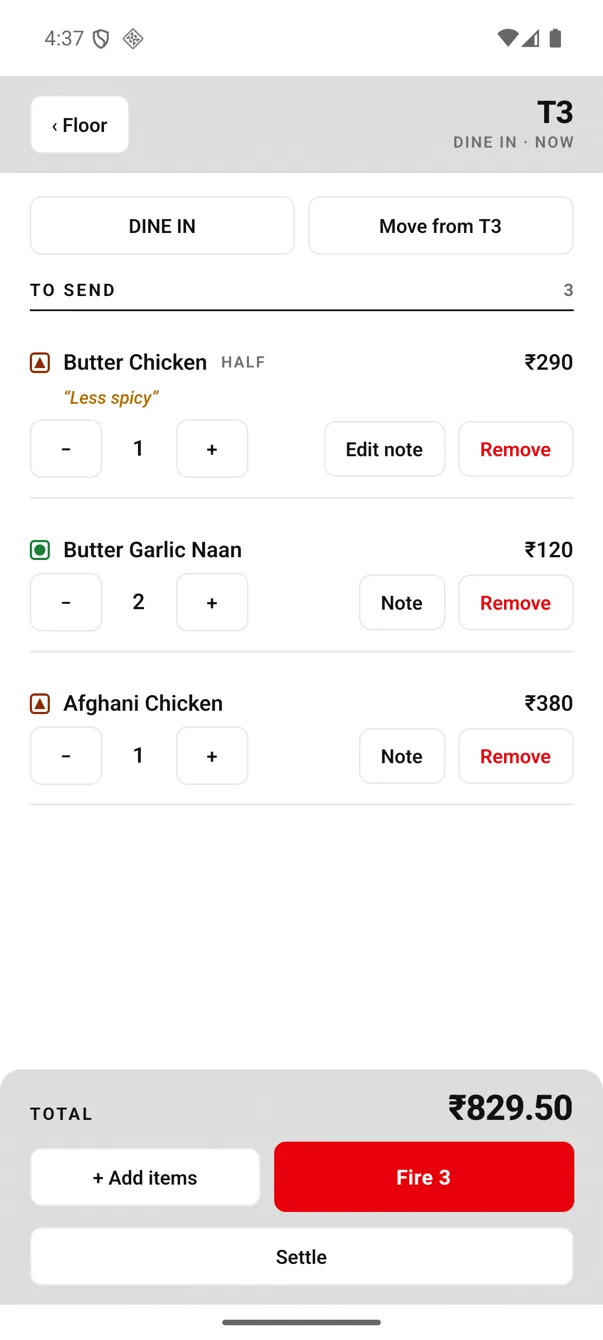
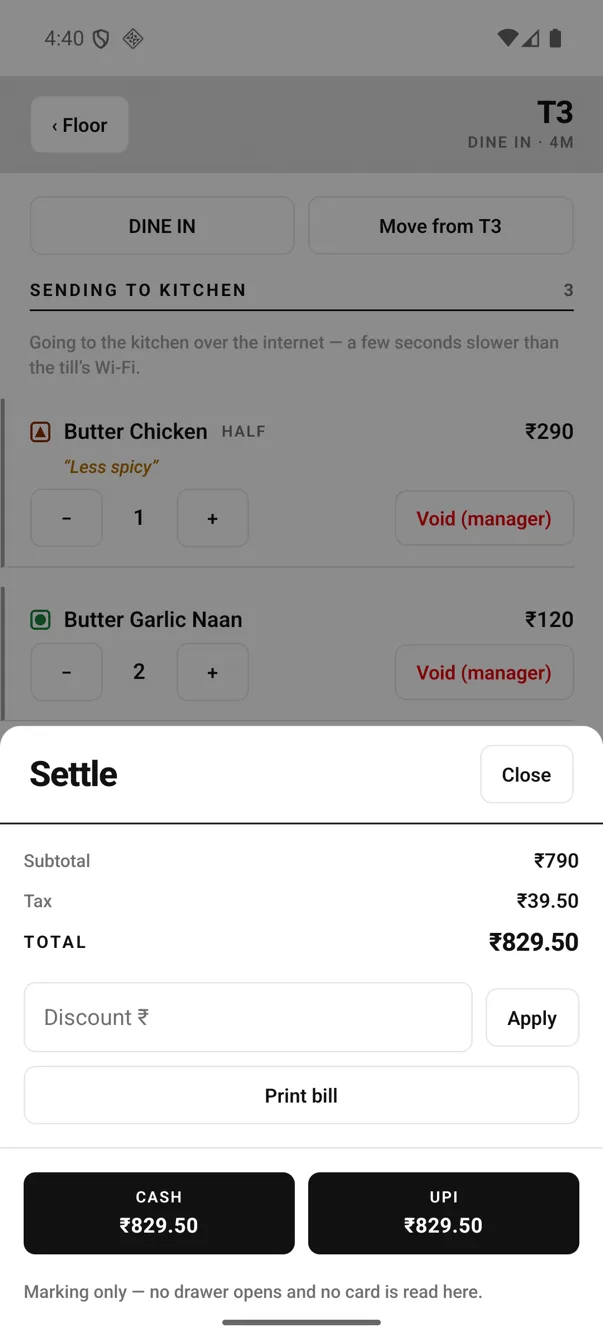
A fired line can go down, never up. Table took three waters and sent one back? Drop the qty to 2 and the bill follows — no manager, no argument. It cannot go up, because the kitchen only cooks what a KOT named; a + opens a new line that rides the next fire. And it cannot reach zero — taking cooked food off a bill is a Void (manager) with a reason, which is exactly the moment an owner wants a record.
That is why the buttons change the instant you fire: Remove becomes Void (manager), and a grey rail marks every line the kitchen has already been told about.
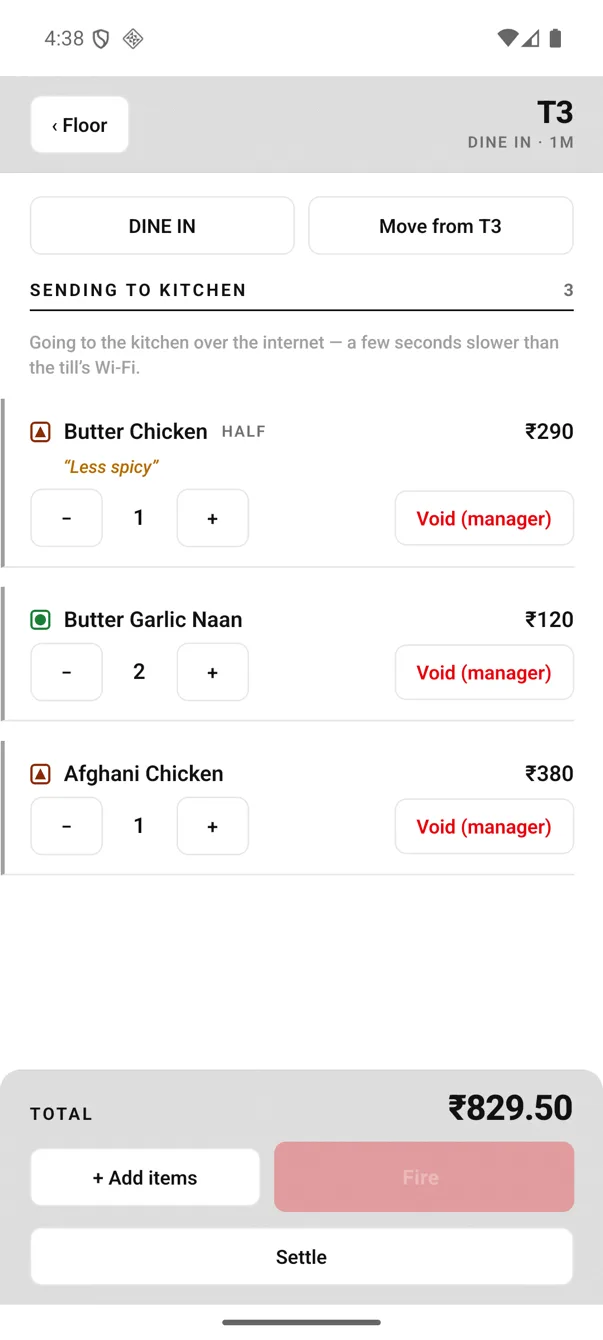
The same table one second after Fire — the kitchen has it, so the line is now the kitchen's business too.
Do cheezein. Bas.
- An Android phone. The one in your pocket. Your waiters' phones join the same order flow with the captain app — no extra charge per phone.
- A thermal printer — Bluetooth or Wi-Fi. 58 mm or 80 mm, speaking ESC/POS — the standard almost every receipt printer sold in India uses. Already have one? Run the test print — one minute, and it settles the question for your exact printer.
- An EasyKOT account. Free for 3 months, no card. Signup walks you through connecting the phone and the printer.
Phone se pehla KOT — chaar steps.
Sign up
On the phone itself — ₹0, no card. Your store and dashboard are created in a minute, and the dashboard immediately has a Devices page waiting for step 2.
Connect the app
The dashboard walks you through putting the Captain app on your phone and signs it in with a one-time code. Create the device as a Register — that is what gives this phone its GST invoice series.
Add your printer
Pair the Bluetooth printer in phone settings or type its IP, choose what it prints, and run a test print. Full pairing walkthrough →
First KOT
Drop your menu as a PDF or photo — AI reads it — or start with a sample menu. Take an order, fire, and the kitchen has paper.
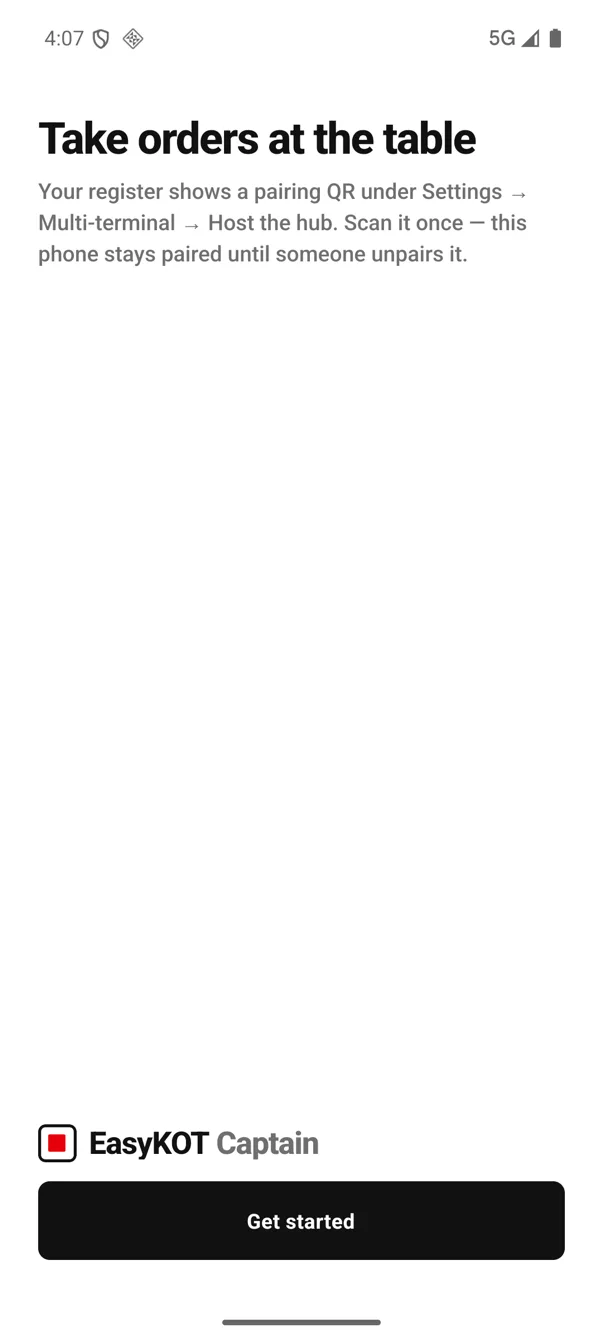
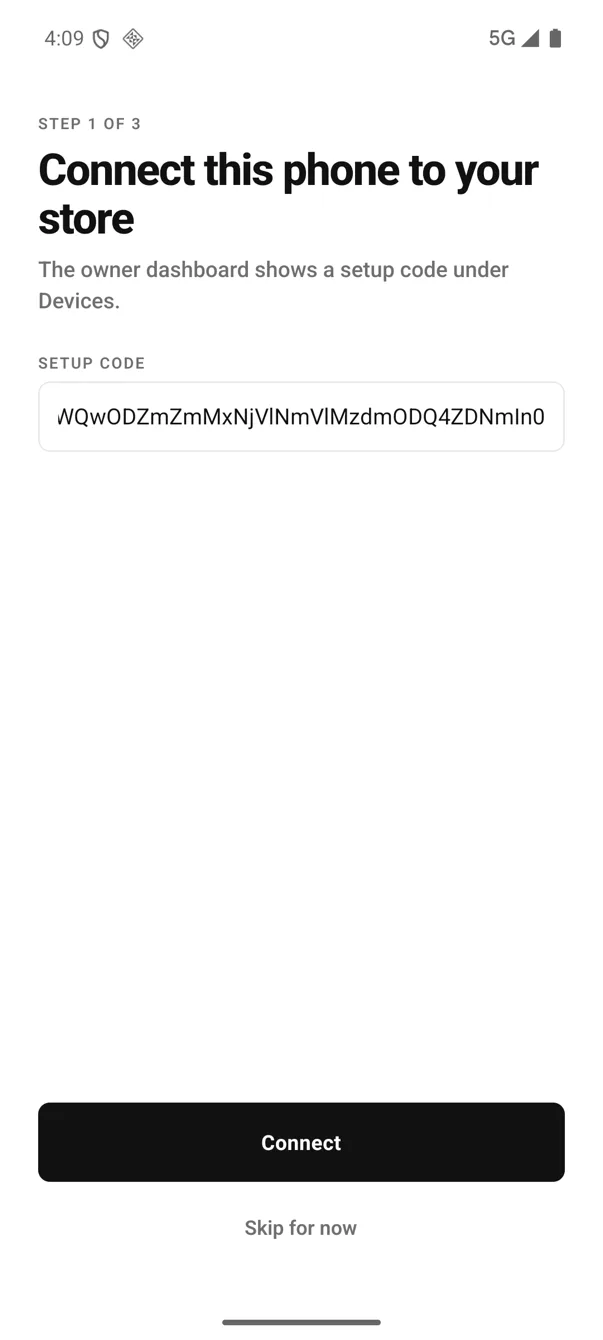
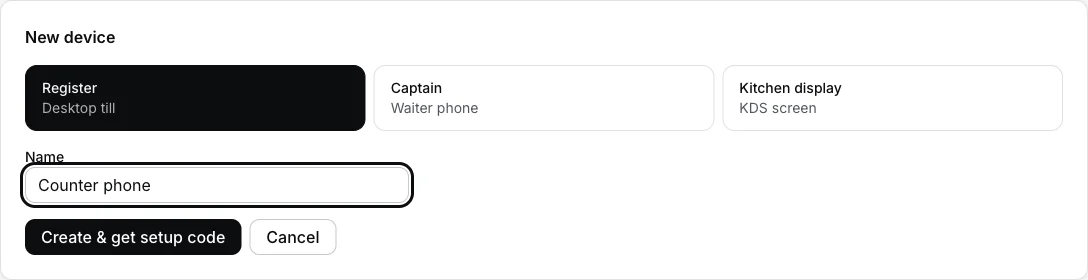
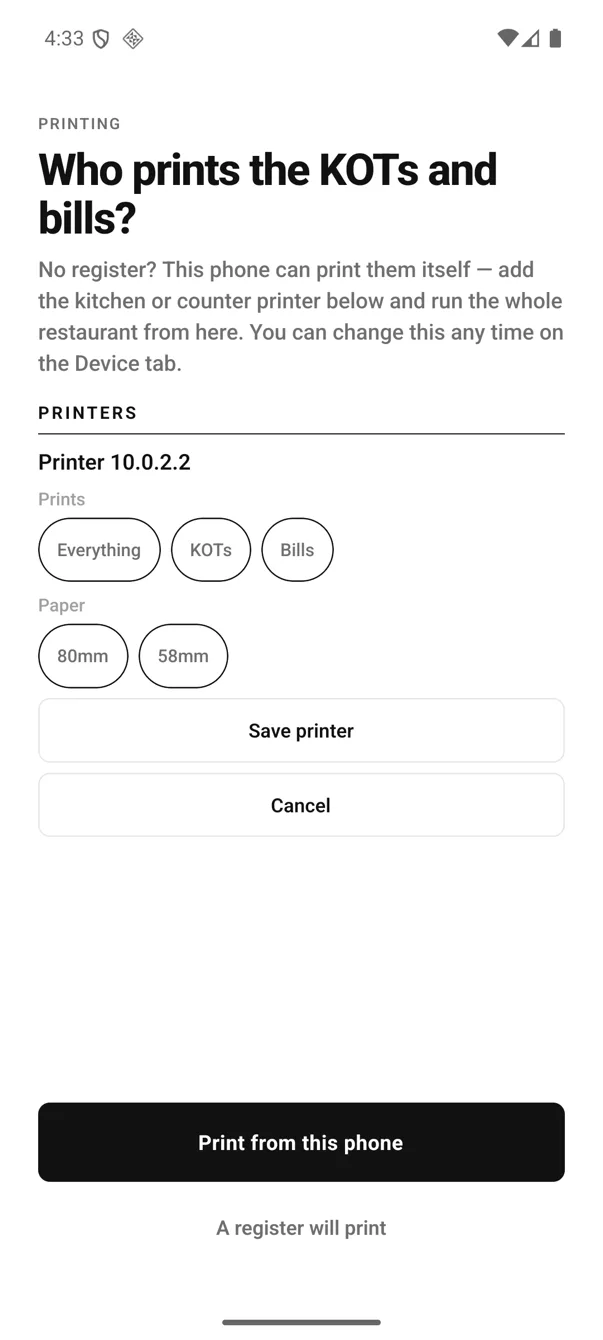
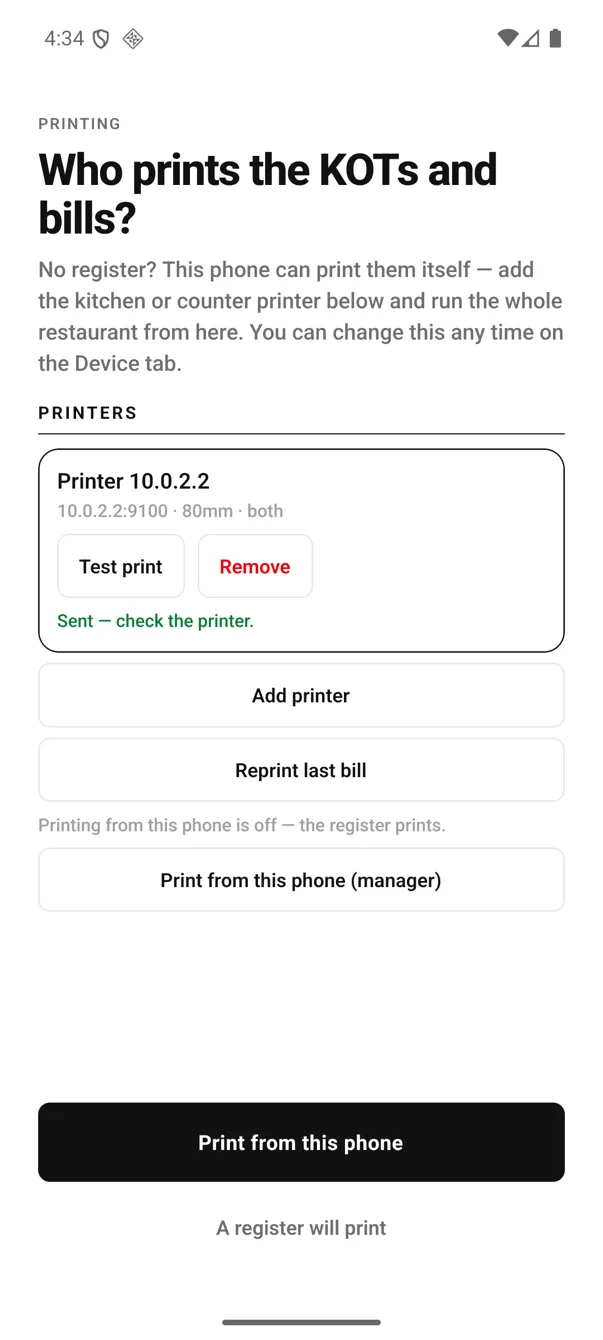
Nothing about your phone gets locked down. It stays your phone — WhatsApp, calls, everything. EasyKOT only asks for Android's Nearby devices permission, and only when you first tap a Bluetooth printer.
Printer on, cash box open, day closed.
- Turn this phone into the printer — once. It asks for a manager PIN, because whether the shop's tickets come out of this phone is a decision about the whole shop, not a personal setting. After that the status line reads “This phone is the printer — KOTs and bills print here.” and Android keeps an ongoing notification alive so the queue drains even in an apron pocket.
- Turning it off is one tap. Stop printing from this phone — deliberately not buried, so a phone going home for the night can hand printing back in a second.
- The cash box lives on the same screen. Put the float in at open, record a paid-out with a reason when you buy vegetables, and at close the phone tells you what should be in the box — UPI counted separately, so a day that looks short usually just went to UPI.
- Reprint last bill is right there, for the customer who asks after the roll has moved on.
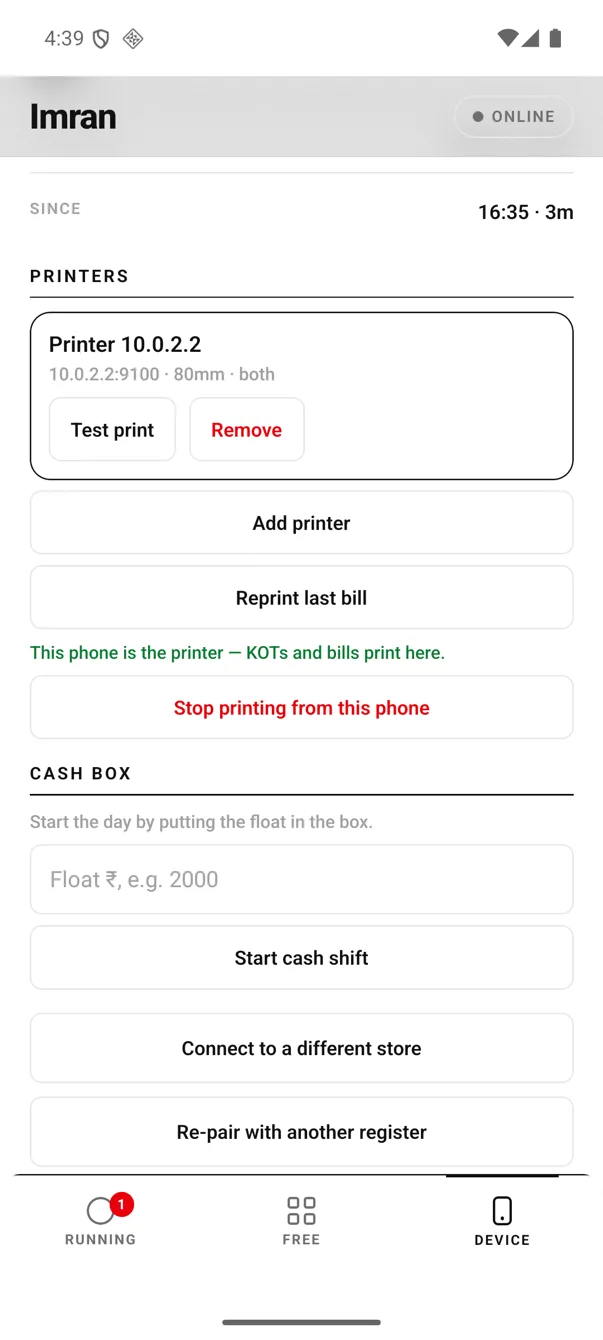
Device tab · printing armed, and the cash box waiting for the morning float.
What a phone-only shop does not get.
Better you read this here than find out in week two. None of it costs extra to fix later — a laptop can join the same account and the same ₹299 whenever you want one.
- No kitchen screen. A phone-only kitchen is paper-only. The kitchen display needs a register on the counter to host it.
- No cash drawer kick. A drawer opens off a printer port the desktop register drives. On a phone the cash box is a box — counted, not kicked.
- Bluetooth printers are Android-only. An iPhone can run the app and print to a Wi-Fi printer while the app is open, but Apple allows Bluetooth printing only to its own certified models — so budget Bluetooth printers need an Android phone.
- One Bluetooth printer, one phone at a time. That is the hardware's limit, not ours. If two people must print, put the printer on Wi-Fi and add it by IP on both.
- The printing phone is a phone on a charger. An evening of printing eats battery. Keep a cable at the counter.
- Reports live in the dashboard, not the phone. Day sales, what sold, food cost and profit against targets open in a browser — on that same phone, or any laptop.
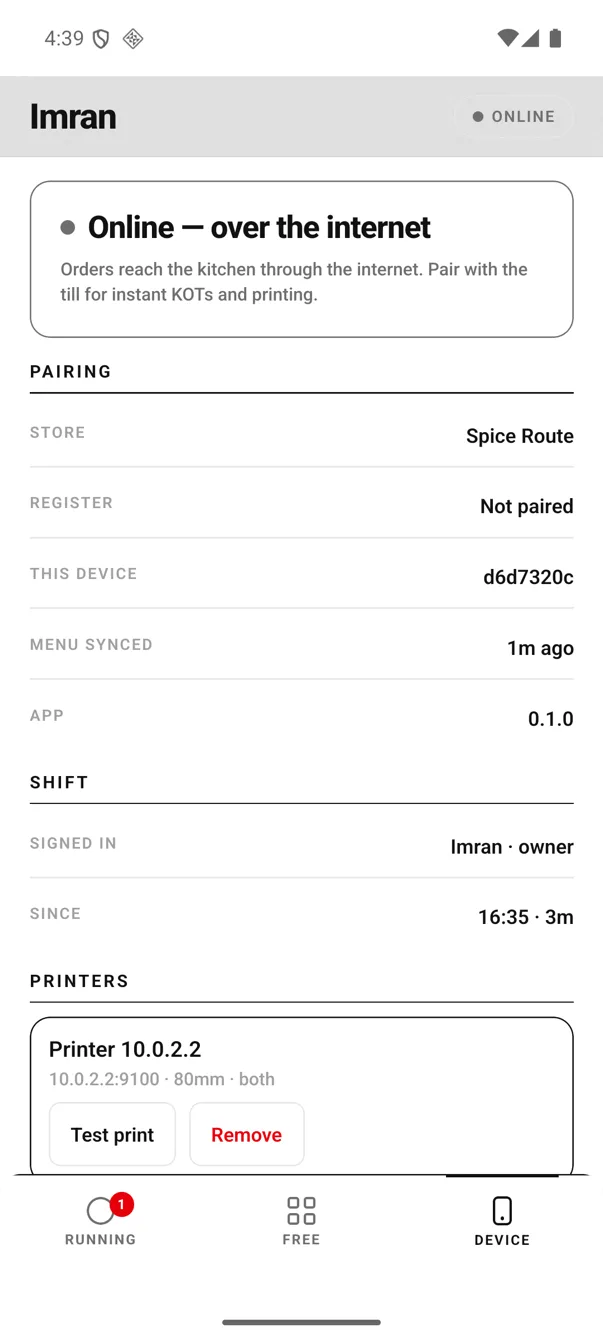
The Device tab always says which way orders are travelling — and which store this phone belongs to.
Bluetooth ya Wi-Fi — dono chalte hain.
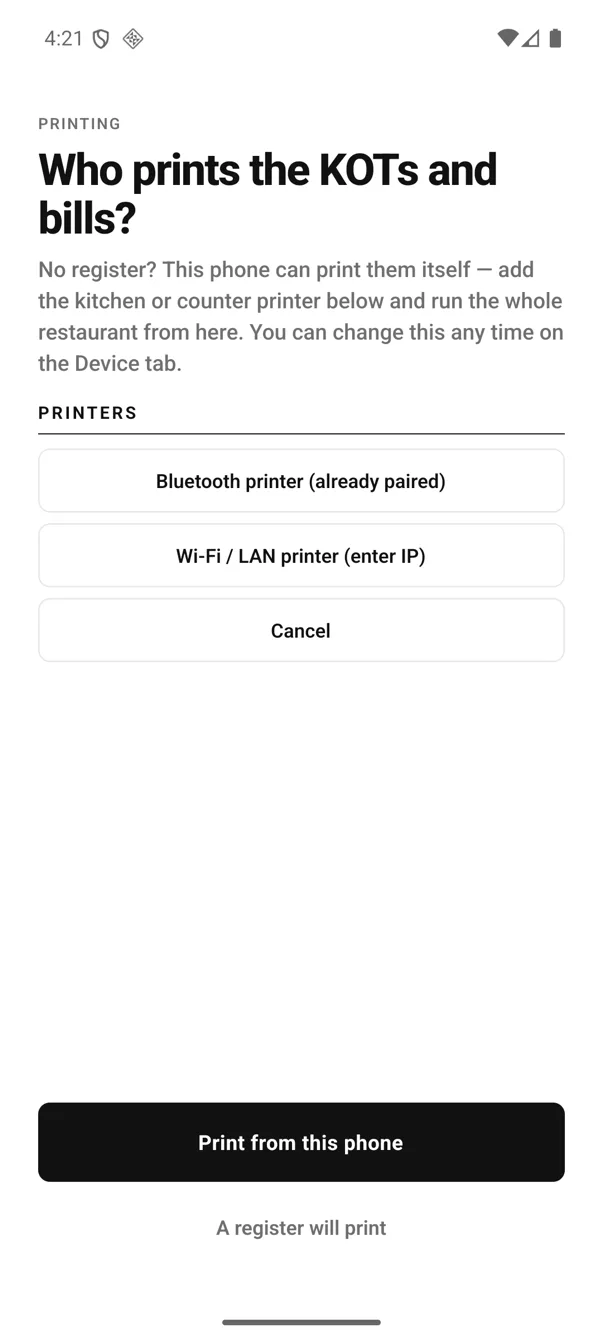
Add printer → the two ways a phone can reach a thermal printer.
- Bluetooth — pair it once in the phone's own Bluetooth settings, exactly like earphones. EasyKOT never scans for unpaired printers, so pairing happens in the place Android already handles it.
- Wi-Fi / LAN — type the printer's IP and port 9100. This is the one to pick if the printer sits in the kitchen while the phone walks the floor, or if a second device needs to print too.
- 58 mm or 80 mm, ESC/POS — the standard nearly every receipt printer sold in India speaks. We publish no certified-model list on purpose: a ten-second test print answers it for your printer better than a list ever could.
Step-by-step Bluetooth pairing, with the permission that catches people →
Straight answers.
Which printers work with the phone?
Does it work when the internet goes?
Are the bills GST-proper?
My waiters have iPhones — is that a problem?
Can I add a laptop register later?
What does it cost?
Go deeper: the captain app your waiters use, the billing register on desktop, or the five setup steps from signup to first bill.
3 mahine chalao, phir paisa lagao.
Three months free, full product, no card. Made in India, for the counter — built inside a running restaurant.