The kitchen screen that keeps up with the KOTs.
A kitchen display system (KDS) shows the kitchen its orders on a screen instead of — or alongside — paper slips. In EasyKOT, every KOT fired from the register or a captain's phone appears on the kitchen screen instantly, with a running timer, and the chef bumps it off when the plate leaves the pass.
Any old monitor or tablet · one screen per station · works on your Wi-Fi without internet · included in ₹299/month
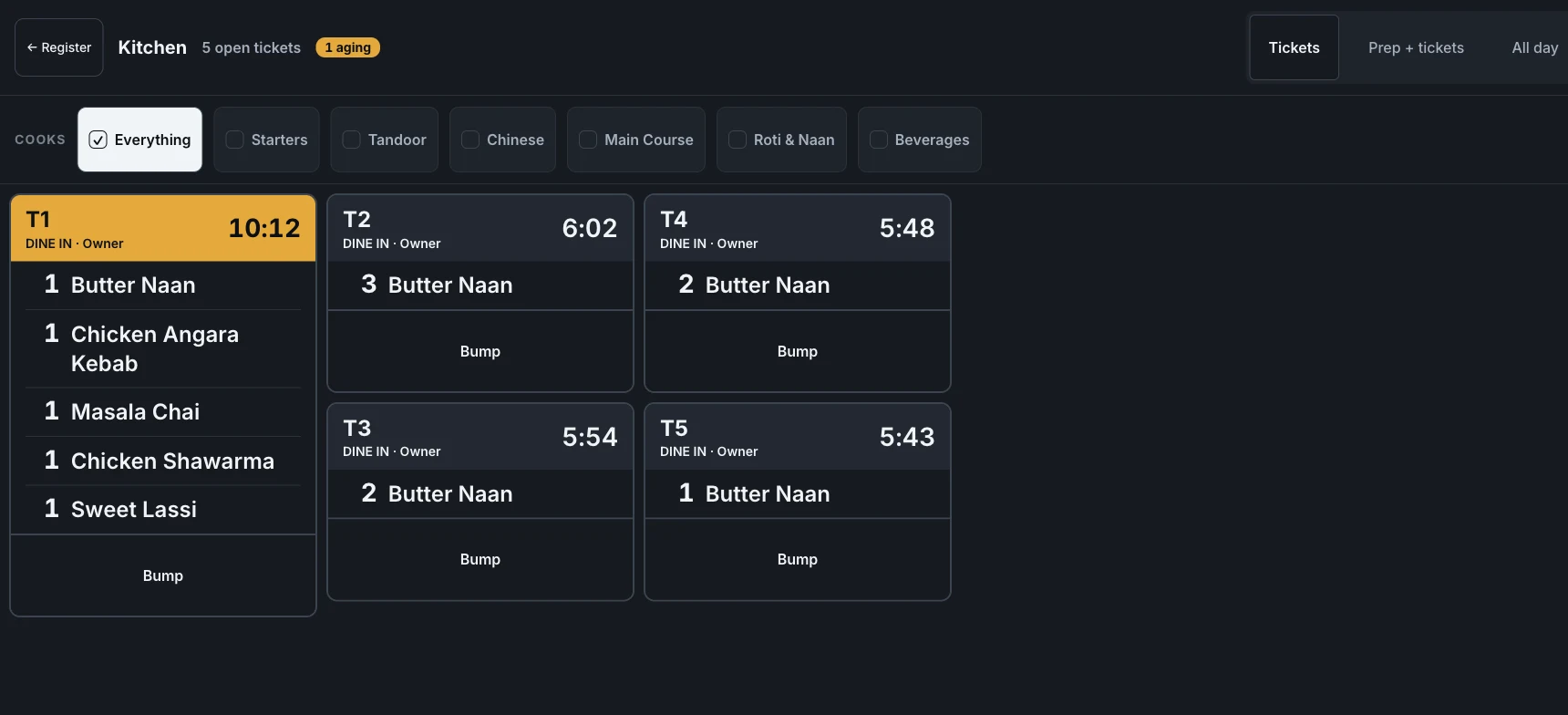
The real kitchen display during service: four tables in, each ticket led by the table the expo will call, with its own timer. The rail top-right switches the same board between Tickets, Prep + tickets and All day. Click to zoom.
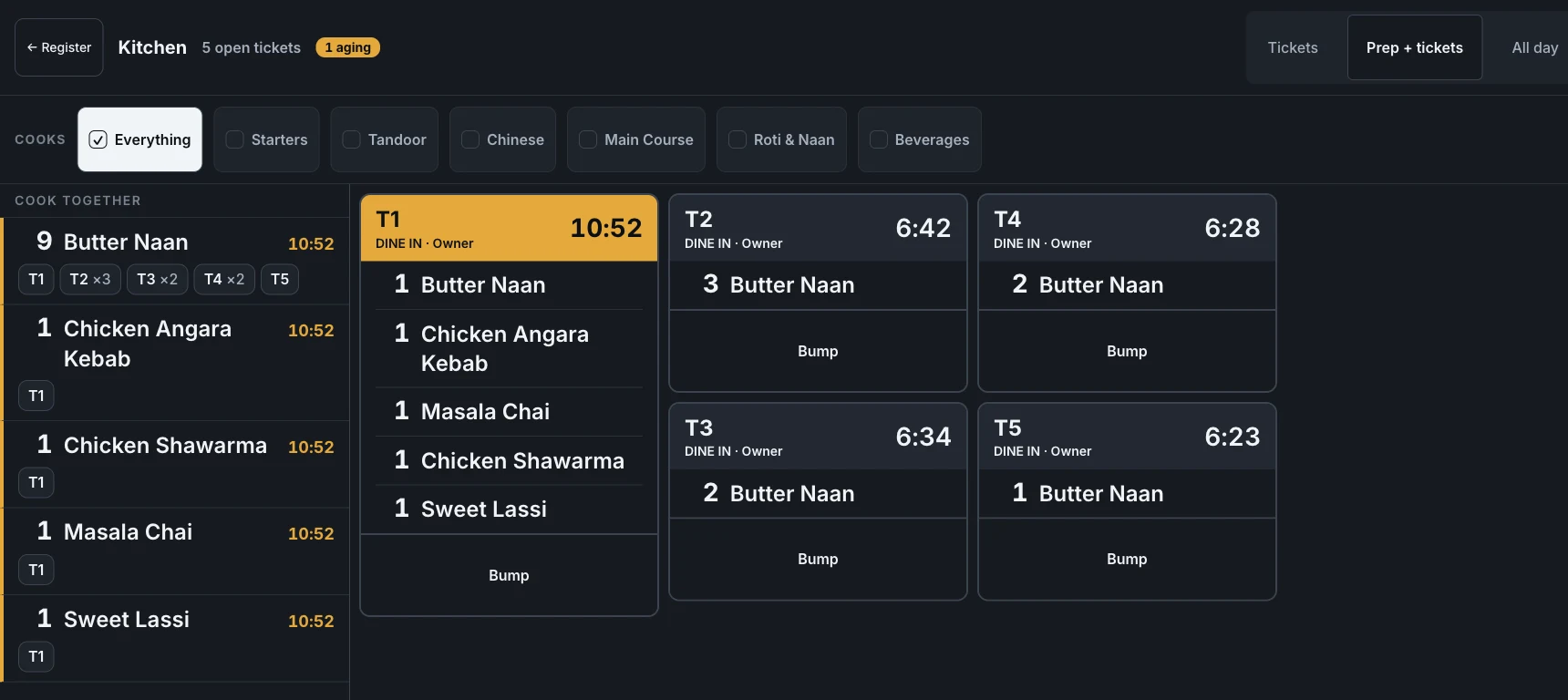
Prep + tickets. Four tables ordered naan; the lane says 8 Butter Naan once, and the chips underneath say where the plates go. The tickets stay beside it, so the expo never loses the table while the tandoor cooks the batch.
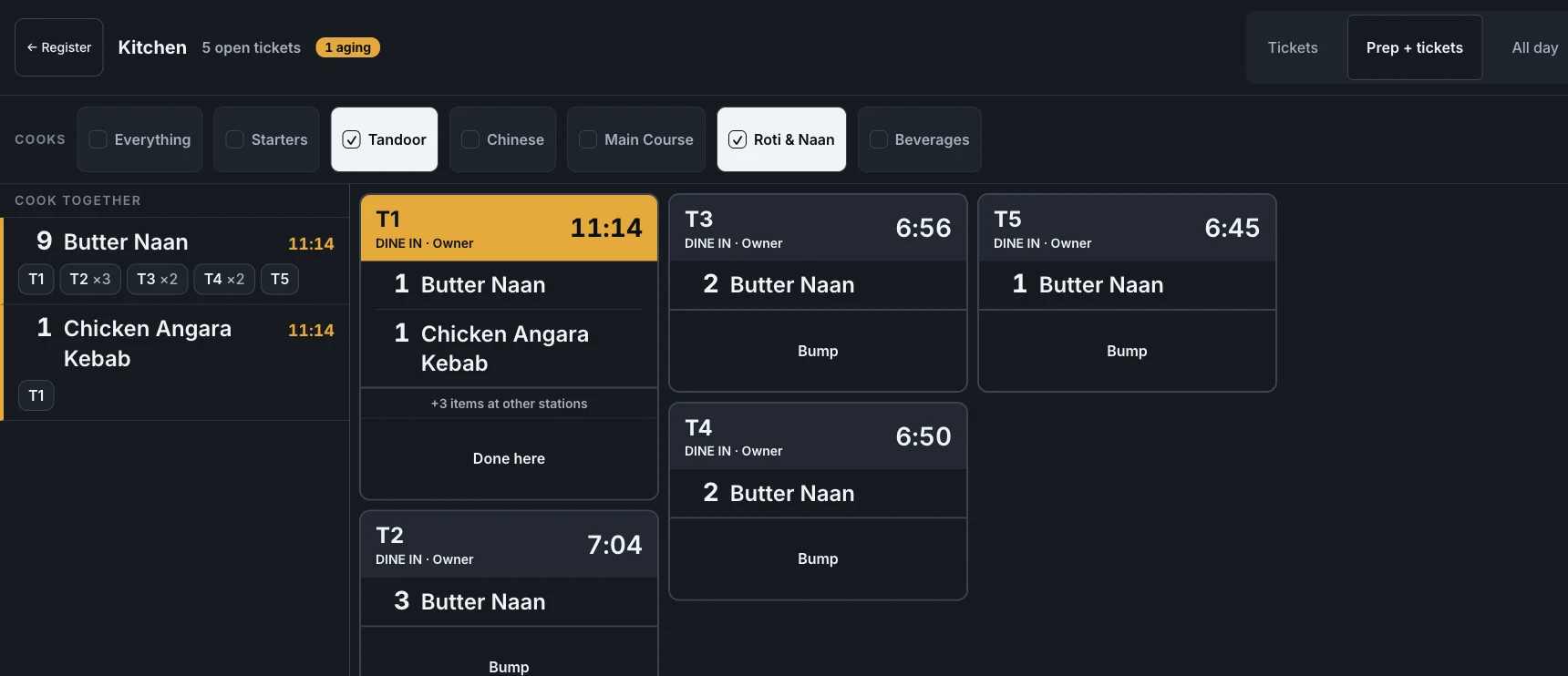
The same service on the tandoor screen — only Tandoor and Roti & Naan ticked, so only those lines show. T2 says +1 item at other stations and offers Done here, not Bump: finishing your share never clears a ticket the wok line is still cooking.
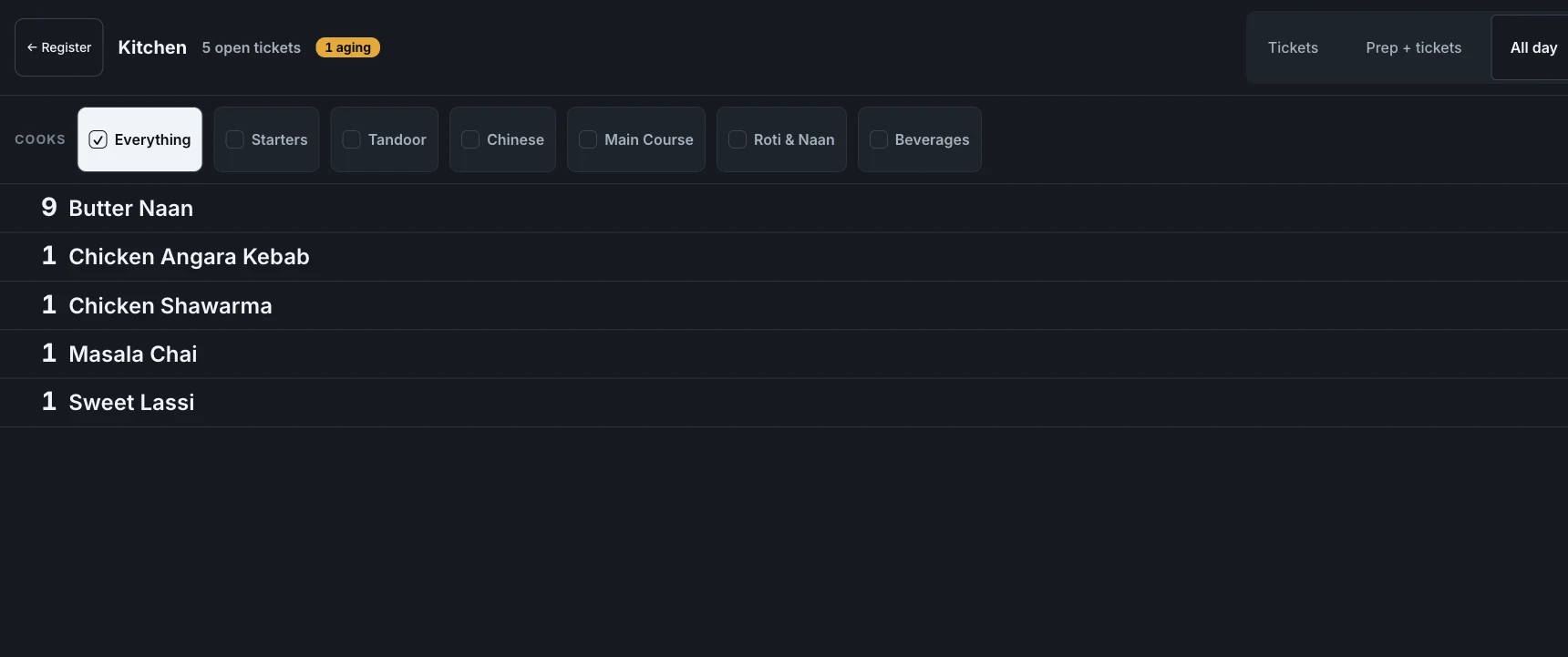
And All day — every open ticket collapsed into “how many of each dish do I actually owe right now?”, with no tables at all. This is the view a prep counter works from.
Fire → cook → bump. Bas.
- Tickets appear the moment they're fired — from the register or a captain's phone, with table or parcel, portions and notes.
- Rounds stay honest. A second round shows only the new items — the kitchen never re-cooks round one because round two arrived.
- Timers keep the queue visible. Every ticket ages on screen, so the chef sees at a glance which table has waited longest.
- Bump when plated. One tap clears the ticket. The screen always shows exactly what's still owed to the floor.
- Cook one dish once for every table that ordered it. Prep + tickets docks a batching lane beside the cards: four tables wanting naan becomes 8 Butter Naan in one line, with chips showing whose plates they are. Only identical prep merges — “extra spicy” is its own wok, and a line with a cook's note never joins a batch at all. Each batch carries its oldest table's clock, so batching can never hide a table that has waited.
- Each screen cooks its own categories. A row of checkboxes on the display picks what this station watches — Tandoor here, Chinese on the wok line, Everything at the pass. A ticket carrying another station's dishes says +2 items at other stations and offers Done here instead of Bump, so your share finishing never clears a ticket someone else is still cooking. A dish in no category shows on every screen — cooking it twice is a conversation, cooking it never is a guest who leaves hungry.
- All day, when you cook by dish and not by table. The All day tab collapses every open ticket into one list — eight naan, three chai — with no tables at all. Tickets, Prep + tickets and All day are the same orders read three ways; switching costs one tap and changes nothing on the floor.
- A paid table leaves on its own. Settle a check and its ticket clears the kitchen board without a bump — a pass silts up fast when nobody remembers to clear the tables that already paid. Counter shops that take money first turn it off in Settings → Register, and every ticket then waits for the chef.
- Printer, screen, or both. Keep the kitchen printer for the pass and the screen for the queue — the KOT content is identical, and reprints are marked DUPLICATE.
- On your LAN, and beyond it. The display runs over the store's own Wi-Fi — no internet needed in service — and the kitchen board can also be watched over the internet when you're away.
Setup is part of the normal store setup — signup to first KOT in the getting-started guide.
Straight answers.
What screen do I need for the KDS?
Does the KDS replace the kitchen printer?
Does it work when the internet goes?
What does the chef actually see?
Can one screen show only the tandoor, and another only the Chinese?
Does the screen clear itself when the customer pays?
Is the KDS an extra charge?
3 mahine chalao, phir paisa lagao.
Three months free, full product, no card. Made in India, for the counter — built inside a running restaurant.