Kagaz khatam
Yeh andaaza nahi hai — printer ne khud apne sensor se bataya hai ki roll khatam ho gaya. Register printing rok deta hai, tickets queue mein rukh jaate hain, aur naya roll lagte hi sab apne aap kramvaar chhap jaata hai. Kuchh dobara bhejna nahi padta.
Whatever the printer does, the sale is already saved — the register writes the bill to its own database first and queues the paper second. The full nine-symptom checklist covers the rest.
The roll is finished, or the paper is not sitting under the head.
- The roll ran out. The ordinary case, and the one the sensor is for. Thermal rolls end quietly — there is no noise to warn a busy counter.
- The paper is in but not under the sensor. A roll dropped into the well at an angle, or a last few centimetres that have curled away from the head, reads as empty because as far as the printer can see, it is.
Do this first.
Load a new roll, thermal side to the print head
Drop the roll in so the paper feeds off the underside and out towards you, which is how nearly every counter-top receipt printer takes it. If you are unsure which face is printable, scratch the paper with a fingernail — the side that leaves a dark mark is the one that must touch the head.
Close the cover until it clicks
A lid that is a millimetre open leaves the printer refusing to print and reporting “Cover open” instead. Pull a few centimetres of paper out through the slot before you close it, so the roll cannot slip back out of the head's way.
Watch the queue drain — there is nothing to press
Settings → Printers & KDS lists the tickets that were waiting. As soon as the printer reports itself ready, they print in order on their own. If you would rather not wait for the next scheduled attempt, Retry now on a row sends it immediately.
What the printer's row says.
Every printer you have added has a row in Settings → Printers & KDS, and the row carries its own status in words rather than a green dot. These are the exact words for this one.
- While it is wrong: “Paper out”, with the line “Load a new roll, thermal side to the head.” Printing is paused while it lasts — the register holds the tickets rather than throwing them at a printer that cannot print them.
- Once it is fixed: “Connected”, and the held tickets print in order without anyone pressing anything.
This state comes from the printer, not from a timer or a guess: the register asks for the paper sensor's own answer and reports exactly what comes back. That is why it can pause the queue confidently instead of burning retry attempts.
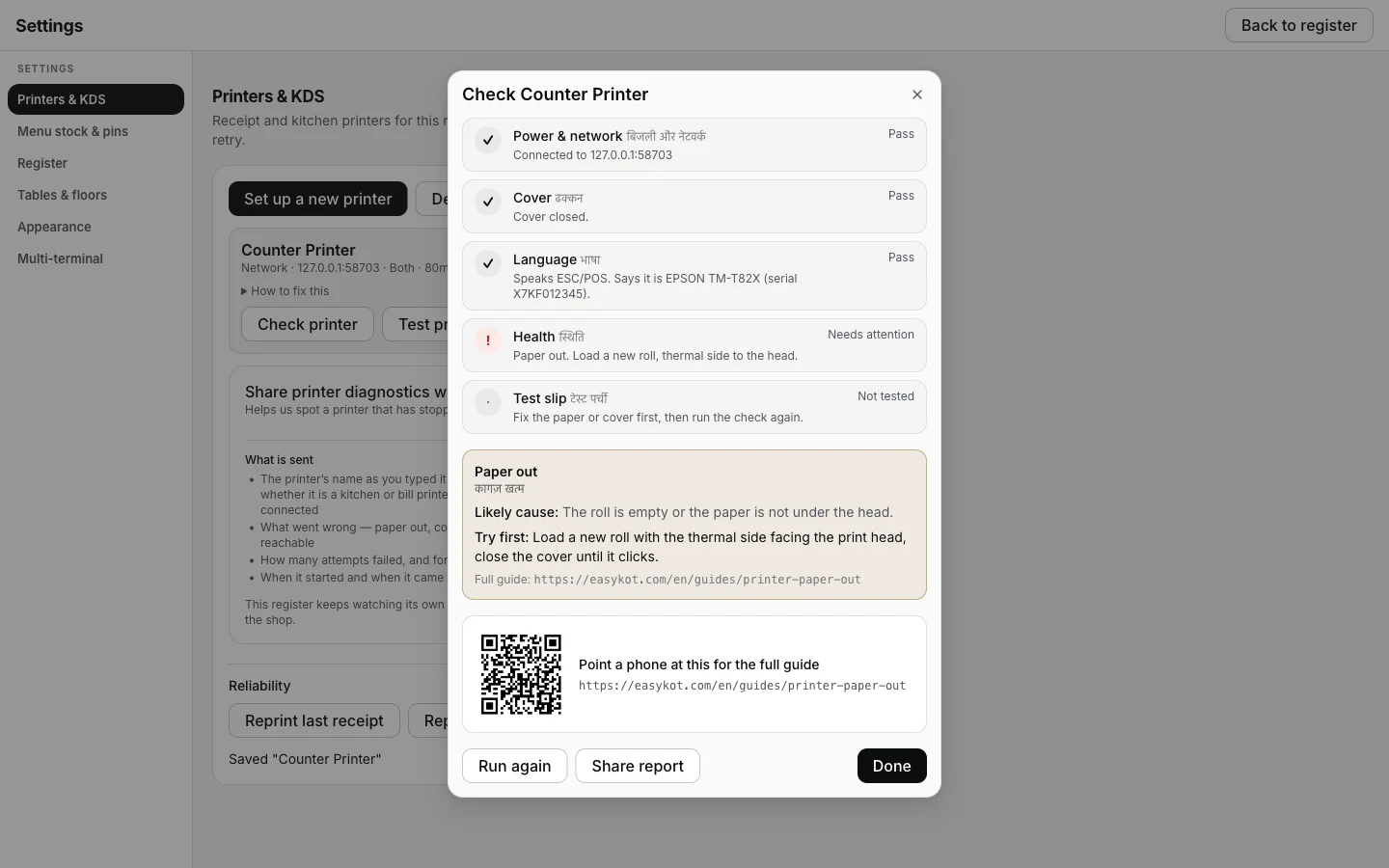
Check printer catches a paper-out roll on its own — the guided-fix card and QR code lead straight back to this page.
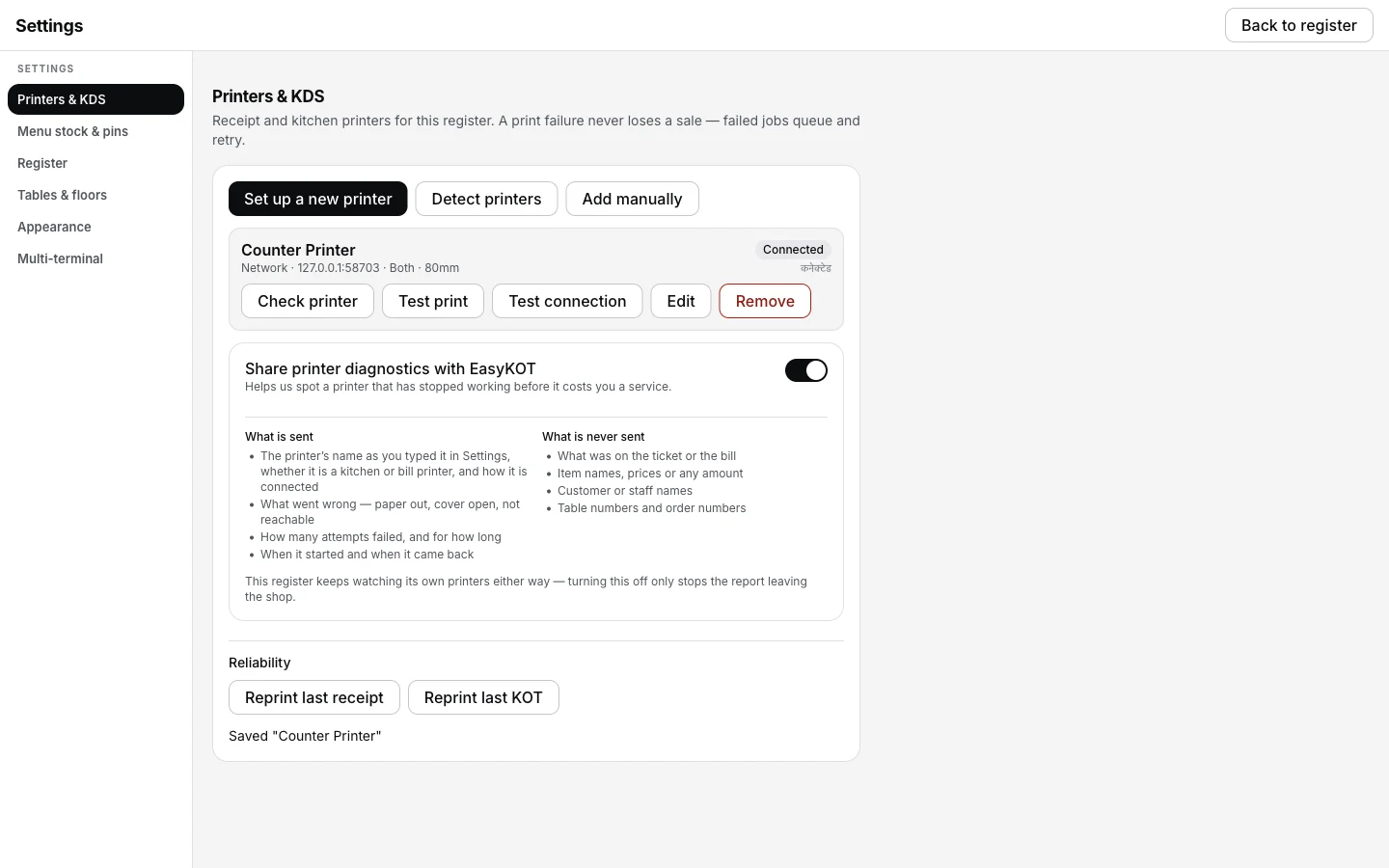
The row once the new roll is in — Connected, nothing else to press.
Printing what was missed.
- A pause is not a failure. Tickets held during a paper-out keep their place and their retry budget. Nothing is dropped, and nothing needs re-firing from the order.
- The sale was never at risk. The bill is written to the register's own database before anything is queued to print, so an empty roll can only ever delay a piece of paper.
- Reprint by hand if you want it now. Settings → Printers & KDS has Reprint last receipt and Reprint last KOT, and every queue row carries Retry now.
Paper out — the questions that follow.
Roll khatam hone se pehle warning milegi?
Why did the register stop printing instead of just failing?
The roll is loaded and it still says Paper out.
If that was not it.
Cover open
The other pause: a lid that is not latched, which most printers report and none announce.
Close the cover →Printer prints blank
Paper is coming out, with nothing on it — the roll went in the wrong way up.
Flip the roll →Can't verify
What it means when your printer answers no status questions at all.
Read the honest grey →Every printer guide is listed on the guides hub.
3 mahine chalao, phir paisa lagao.
Three months free, full product, no card. Made in India, for the counter — built inside a running restaurant.